- Home
- Services
- Online Banking Services
- Digital Banking
- Mobile Deposit
Online and Mobile Services
Deposit checks from anywhere
Need to deposit a check from home or while on the go? Alero has you covered! With our secure and convenient digital banking app, you can safely deposit checks from anywhere in seconds. No need to stop by a branch or ATM. Simply log in to our mobile app to get started.
Mobile Deposit FAQ's
-
Mobile Deposit is a secure, convenient service for Alero Financial members. By using the Alero Mobile Banking App on your smartphone or tablet with a built-in camera, you can image-capture and electronically deposit checks to your Alero account.
-
Be at least 16 years oldAlero account(s) and loan(s) must be in good standing Have a valid email addressHave a compatible iOS or Android mobile device with an Internet data plan Be a registered Online Account Access userDownload Alero's Mobile Banking App
-
No, Mobile Deposit is a free, convenient service provided to eligible Alero members.
-
Deposit limits are limited to the following amounts: $5,000 per deposit and $5,000 per day.
-
The Alero Mobile Banking App is available for iOS and Android devices and works with a variety of supported smartphones and tablets utilizing the device's built-in camera* for capturing check images.*Smartphone/Tablet must have a 2.0 megapixel (or greater) camera.
-
Deposits can be made to your Alero savings, checking and money market accounts (excluding IRAs, HSAs, and Share Certificates).Payments can be made to your Alero loan (excluding First Mortgages).
-
No. Simply submit the check(s) you would like to deposit to your account.
-
No. Mobile Deposit generates an electronic record with each deposit.
-
Multiple checks can be included in one deposit and multiple deposits can be submitted as long as the accumulated dollar amount of the deposit(s) does not exceed the daily deposit limit.
-
Please sign the back of each check and include the following information in the endorsement area: “For mobile deposit at Alero”Please note: If the back of the check is not clearly and properly endorsed, we reserve the right to reject the check for deposit.
-
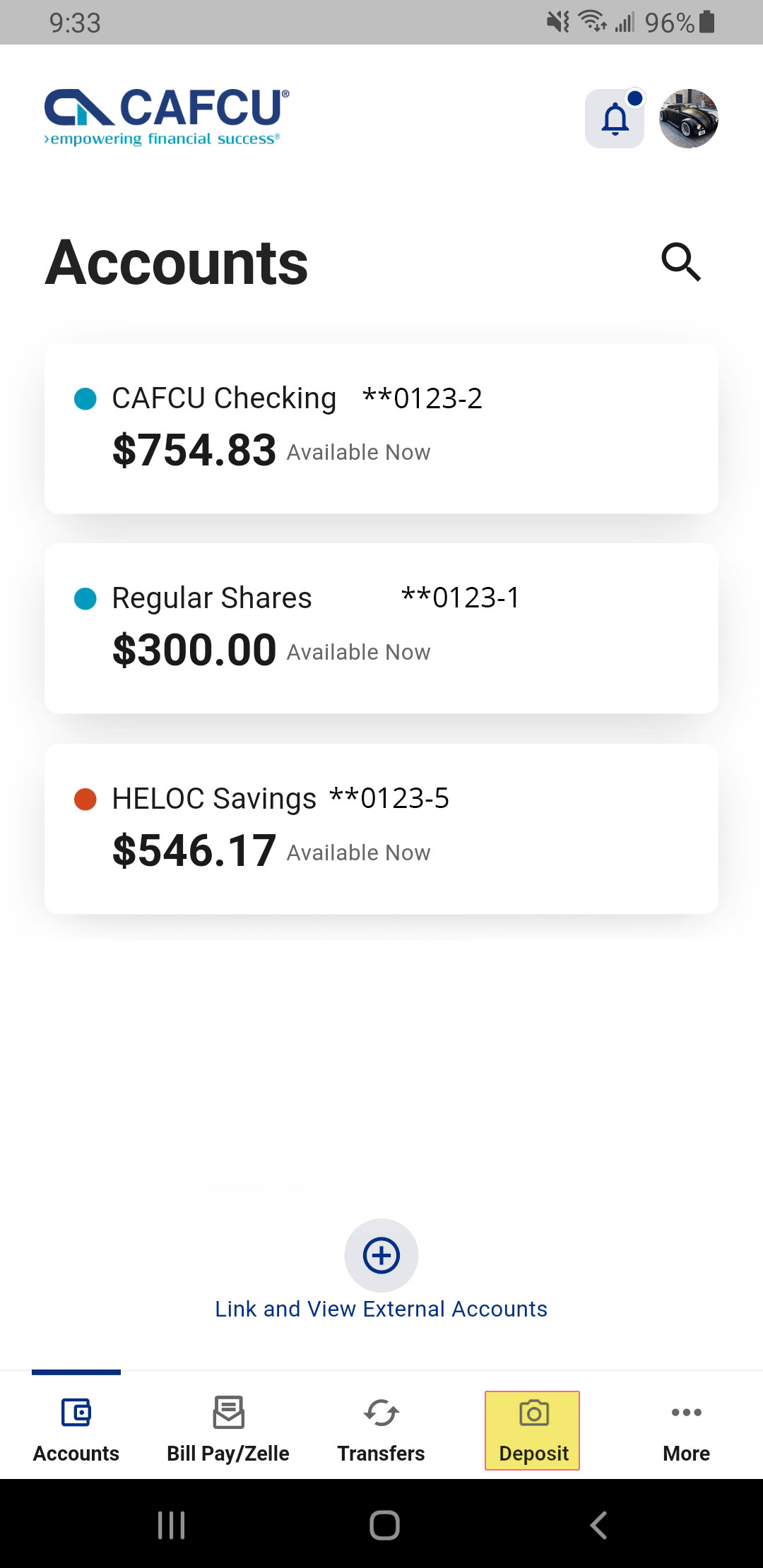
1. Log into your account using the Alero Mobile Banking App. On the dashboard select "Deposit". 2. From the "Accounts" drop down, select the account for deposit and enter the amount of the deposit. Then click "Take Photo". 

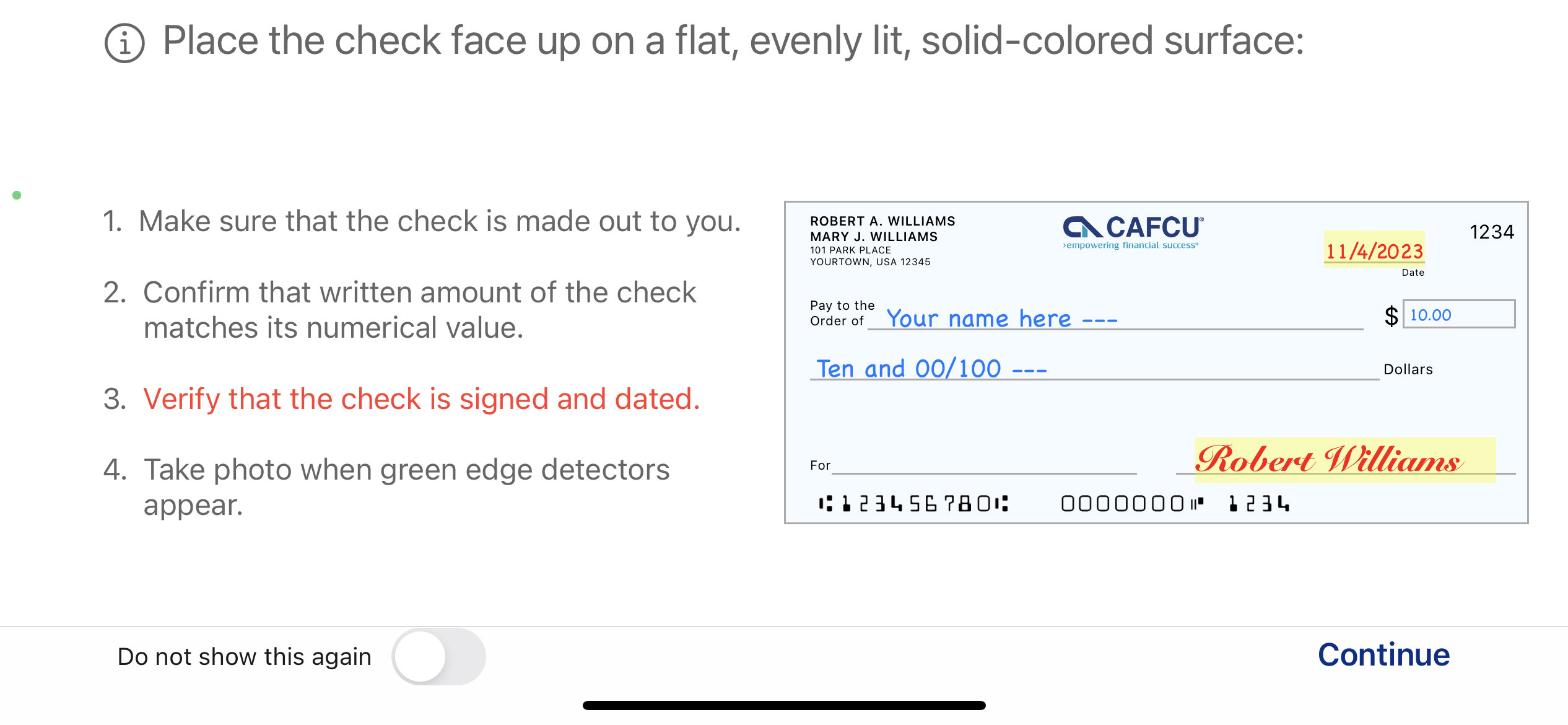
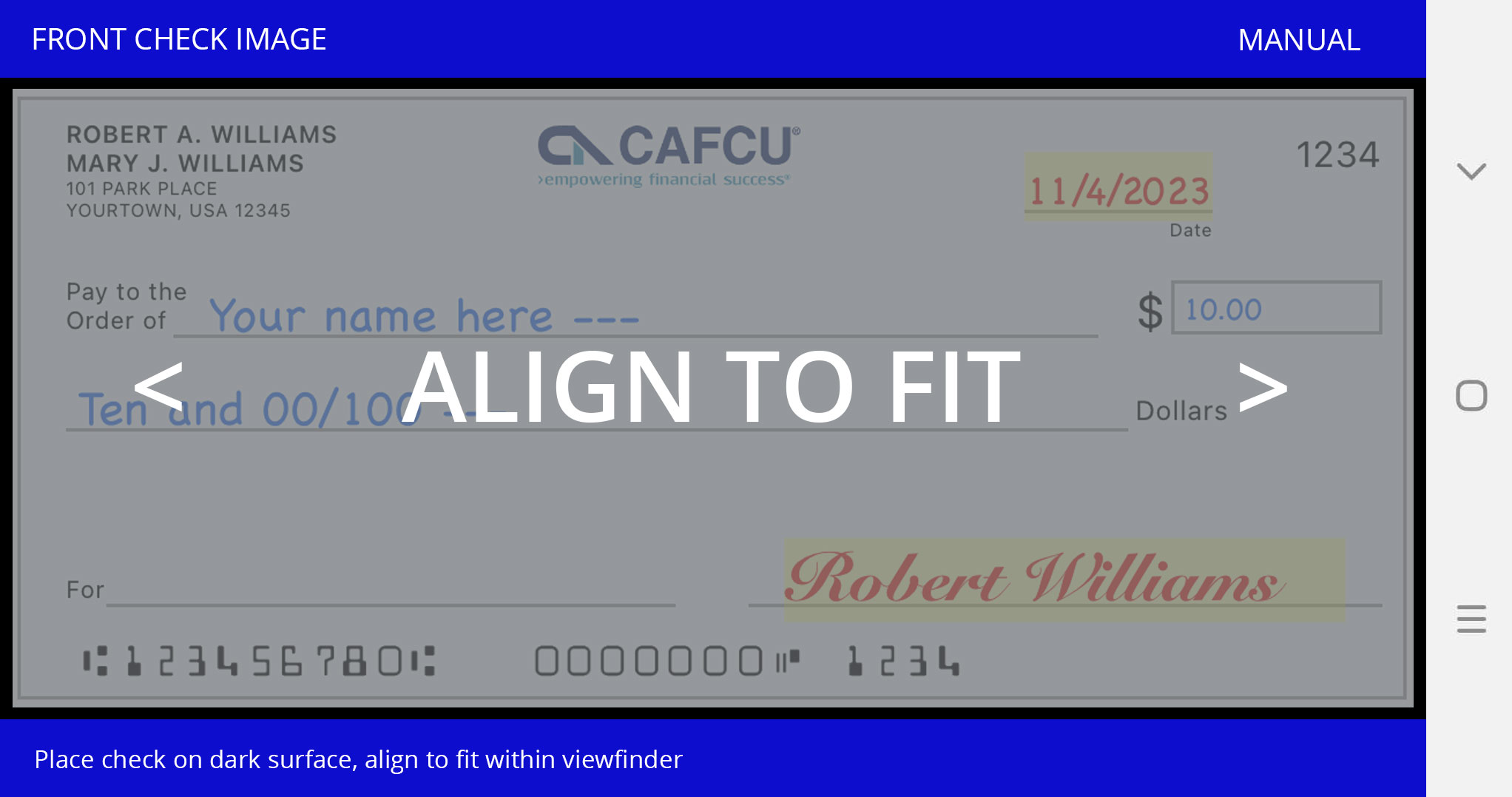
3. Follow the deposit instructions. 4. Make sure the front of the check is inside the green box. Using your finger, tap on your screen to capture the image. The same process will be needed for the back of the check. 

5. Complete your deposit by reviewing your information and confirming. 6. A pop up message will let you know your deposit has been received and is being held for review. You will receive an email notification once the deposit occurs. -
Acceptable Checks:Single-party, domestic checks made payable to the owner(s) of the Alero account.Unacceptable Checks:Any item drawn on your Alero accountAny item that is stamped with a "non-negotiable" watermarkAny item that contains evidence of alteration to the information on the check(s)Any item issued by a financial institution in a foreign country, or not payable in US DollarsAny third party check(s) (i.e., any item that is made payable to another party and then endorsed to you by such party)Any item that is presented more than six months after the date on the item Any item that is incompleteAny item that is presented with a date in the future Savings BondsMoney OrdersNon-negotiable itemsChecks previously submitted for depositChecks purported to be a lottery or prize winning

-
Checks submitted for deposit prior to 4 p.m. (CST) will be credited to your account within the same business day. Deposits submitted after 4 p.m. (CST) will be credited to your account on the next business day. Business days are Monday through Friday, which therefore excludes Saturdays, Sundays, Federal holidays, and Credit Union observed holidays. Credit Union observed holidays are posted on www.alerofinancial.org/closings.
-
Checks will be held for two business days. Please refer to the Funds Availability section of the Mobile Deposit Disclosure and Agreement which is available on the Disclosures page of our website (www.cafcu.org/disclosures).
-
Yes, please retain your original check for 7 days in a secure location then destroy by shredding it. Please do not attempt to duplicate the deposit.
-
Mobile Deposit history is available for viewing online for approximately 30 days.